Debugging Audio Reactivity in TouchDesigner
In the last couple of weeks I played a some gigs where I projected my own TouchDesigner visuals alongside my music. This was stuff that I learned in the Interactive Video in TouchDesigner course: audio reactive visuals where certain sounds or frequencies would trigger visual responses in the animation.
I started with an Audio File In CHOP to be able to build these animations and tweak parameters in the Audio Analysis Palette. However, when I switched things over to an Audio Device In CHOP, I ran into issues where the visuals stopped working. This blog post gets into how I fixed the problems I ran into when I made this switch.
Problem 1: Audio Device In is mono
As I started troubleshooting, the first thing I noticed is that Audio Device In only had one channel of audio, where Audio File In had two:
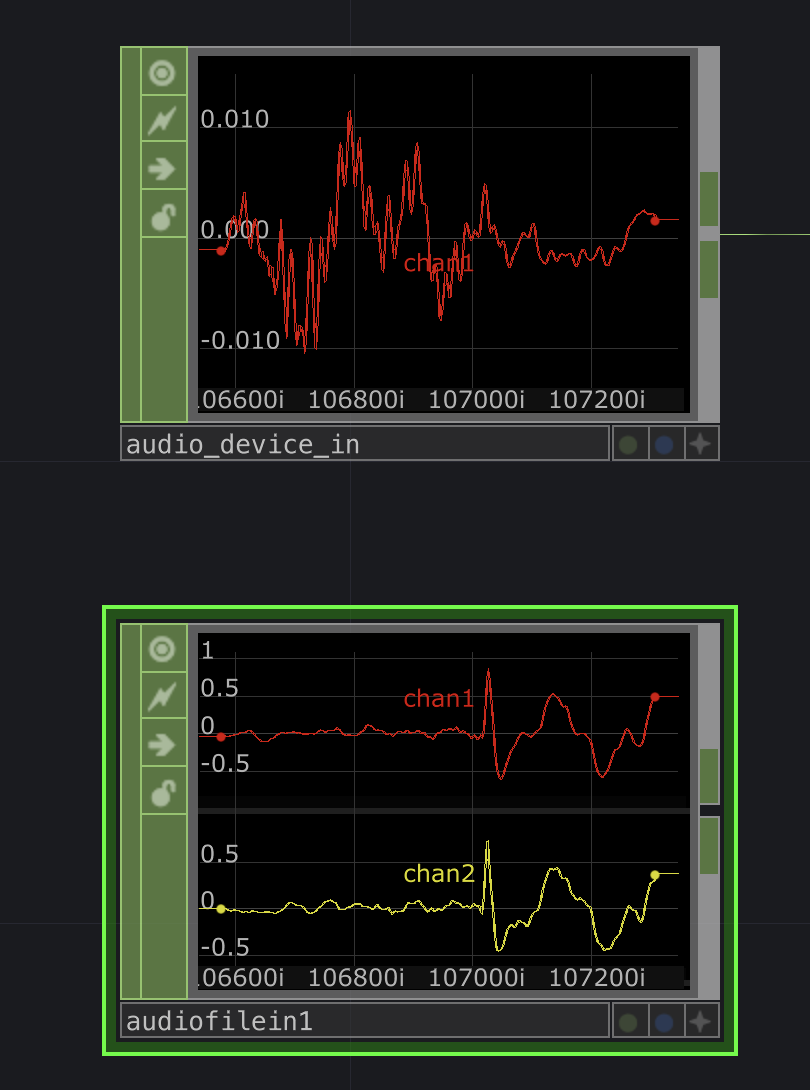
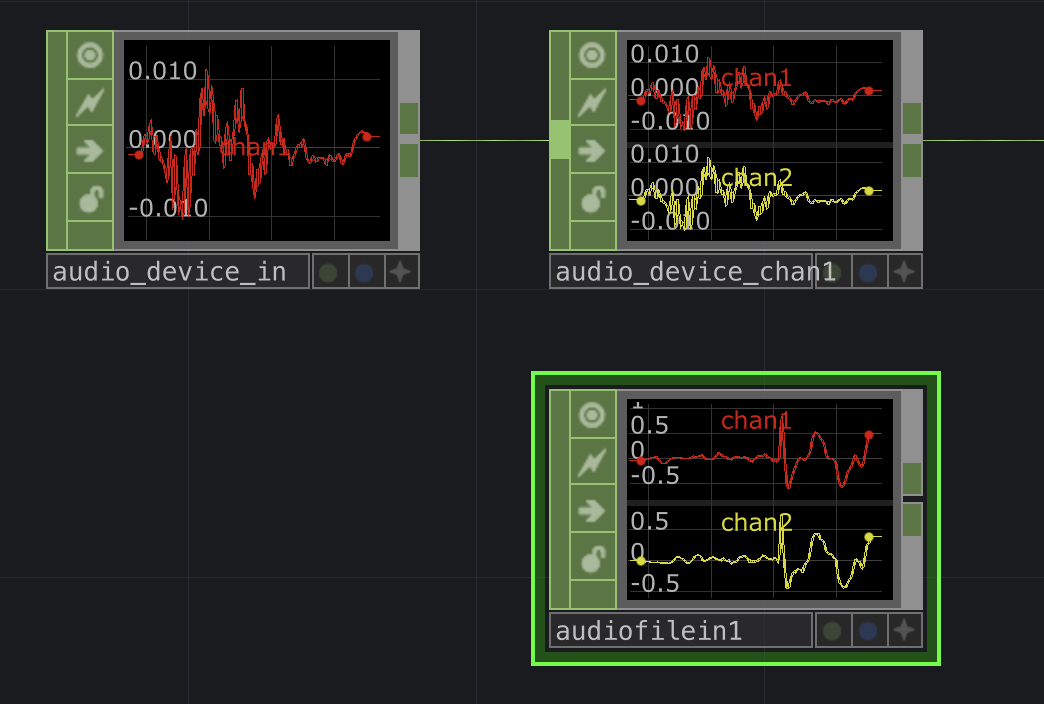
I was able to get two channels of mirrored audio by running Audio Device In to a Select CHOP and setting the following parameters:
Channel Names:chan1 chan1Rename from:*Rename to:chan1 chan2
This just takes the mono signal, copies it into a second channel, and makes sure they're named chan1 and chan2 respectively.
Problem 2: Audio Device In has a lower signal level
From there, the second issue I noticed was that the actual levels of these two channels coming from Audio Device In were much, much lower than those coming from Audio File In. To fix that, I connected the Select Chop to a Math CHOP and adjusted the Multiply value to multiply the channel values. This way they were closer to what Audio File In produced.
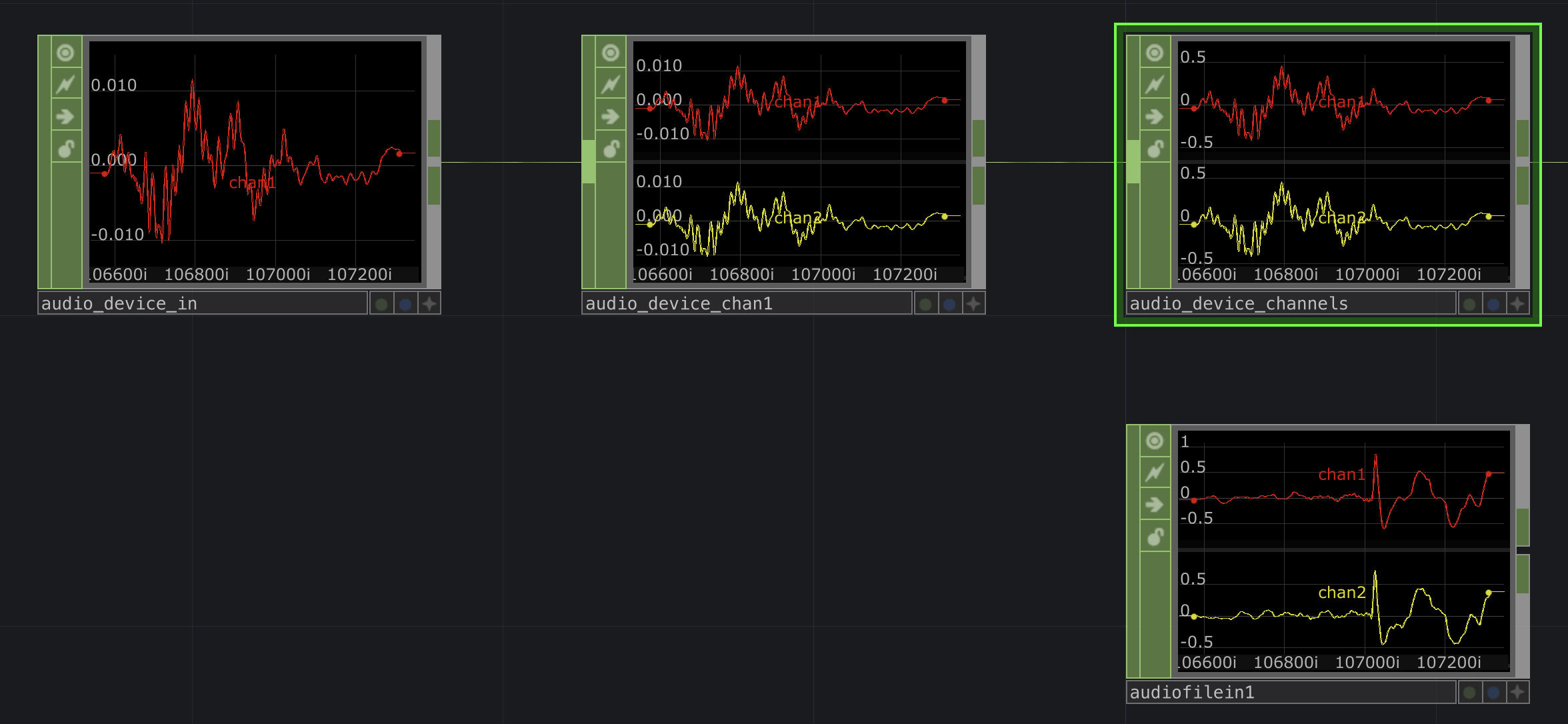
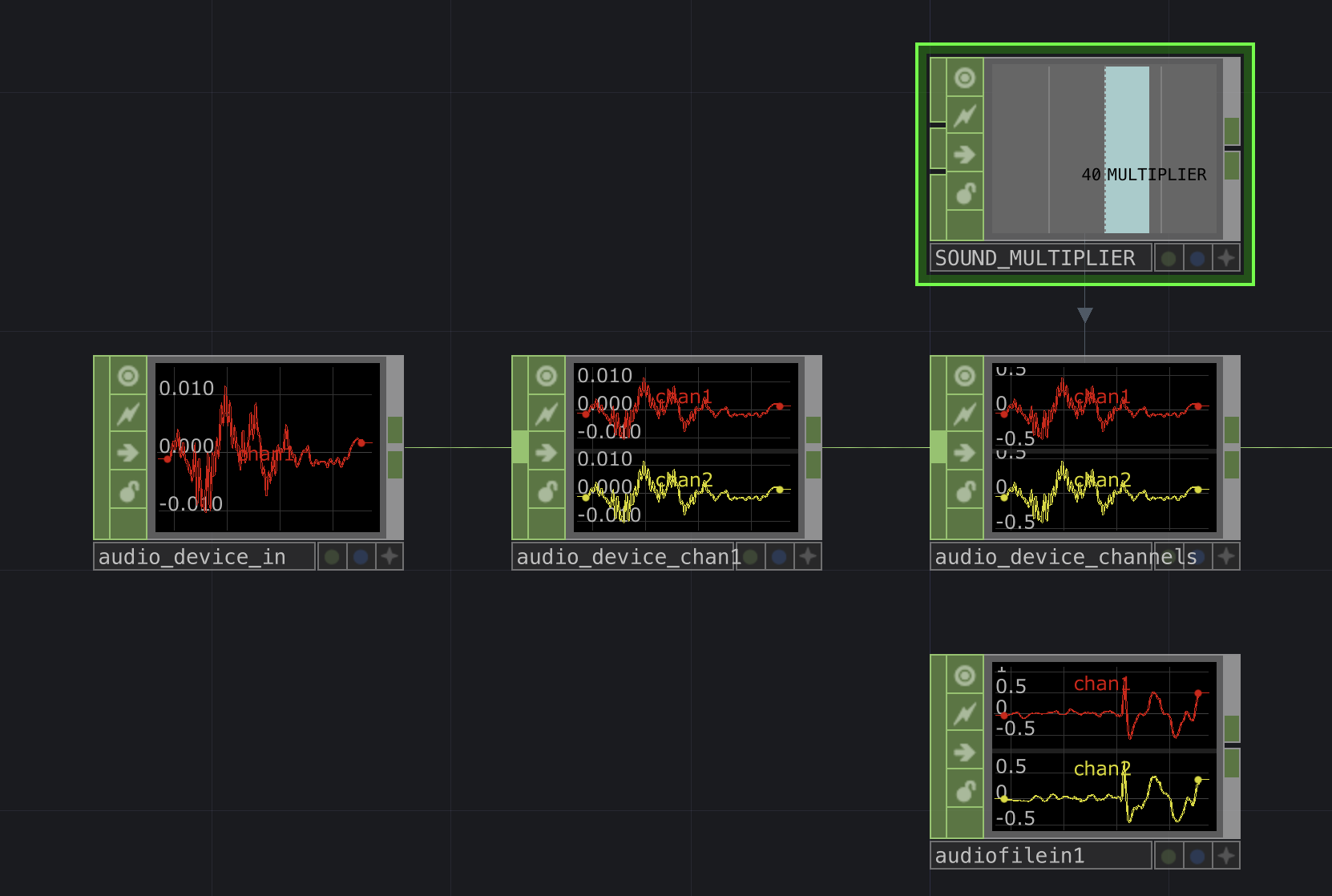
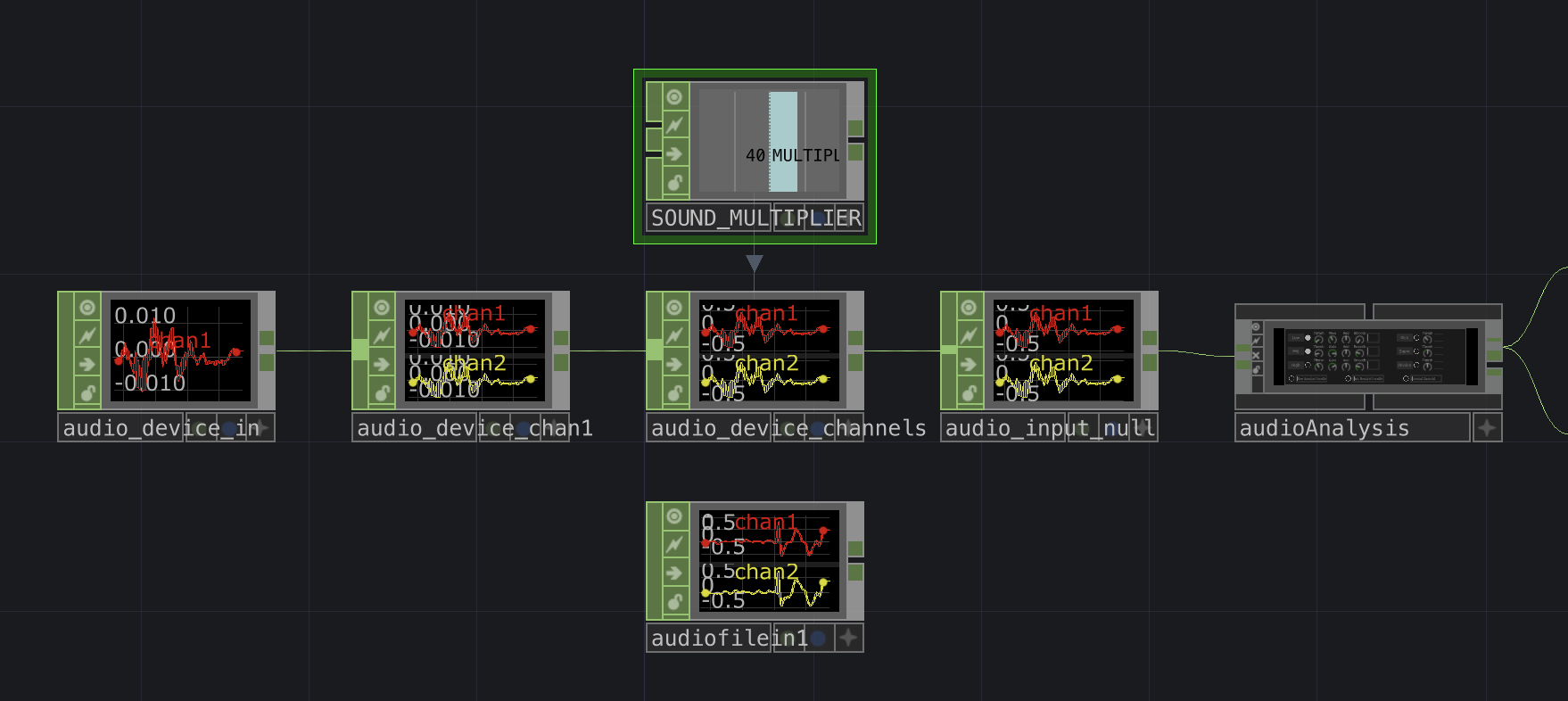
By multiplying the chan1 and chan2 values by a magic number like 40, I was able to produce values similar to those coming from Audio File In and the visuals worked as expected. However, that 40 value was calibrated to my amplifiers at home, which run at a much lower volume than the sound system at the performance venue. The audio signal I get from the louder system at DadaLab was much hotter, so I would need to use something like 8 instead of 40. I didn't really want to dig back into the Math CHOP's parameters to adjust the multiplier value. To make this a little easier, I added a Constant CHOP named SOUND_MULTIPLIER, and it would hold the value by which I multiplied the signal. I could change SOUND_MULTIPLIER easily at the venue without accidentally changing any other parameter values on the Math CHOP:
Put it all together
Here is this part of the network, all put together:
I'm sure there is a better way to accommodate this, but it worked for my needs for these couple of gigs. If you have suggestions for handling these issues, definitely reach out!